Concessions
Overview
The Concessions feature in the Payments module allows administrators to manage student fee concessions efficiently. This section displays all students who have applied for fee concessions, enabling you to approve or reject applications, manage bulk operations, and track concession status. Financial aid decisions are made transparent through proper documentation and remarks.
Key Features
→ View all concession applications from students in a centralized list.
→ Individual approval or rejection of concession requests with mandatory remarks.
→ Bulk edit functionality to process multiple concessions simultaneously.
→ Detailed concession information with amounts and application history.
→ Excel export capability for record-keeping and reporting purposes.
→ Status tracking with clear visibility of pending, approved, and rejected requests.
Navigation Steps
Accessing Concessions
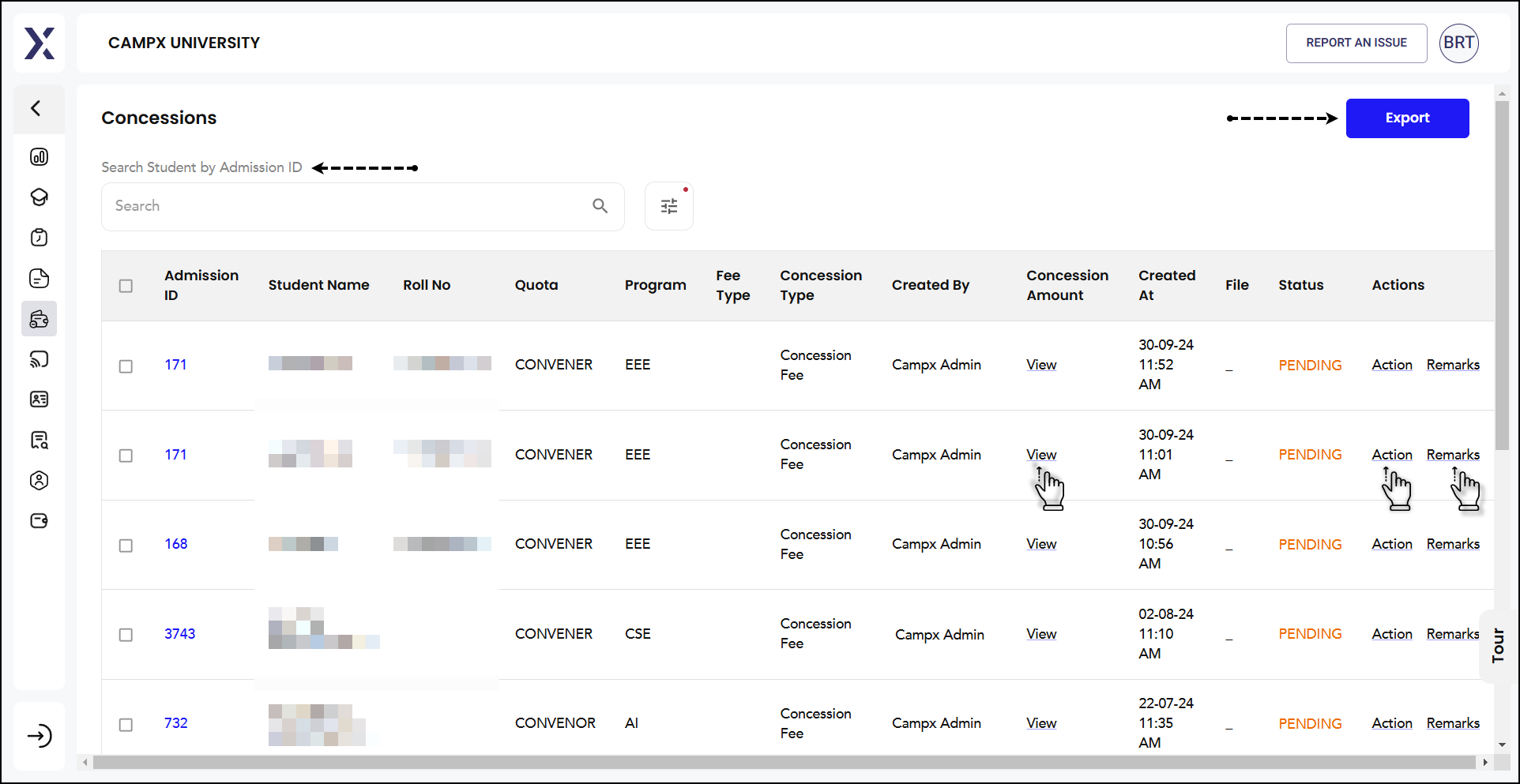
- On the left side of the main menu, go to Payments → Concessions.
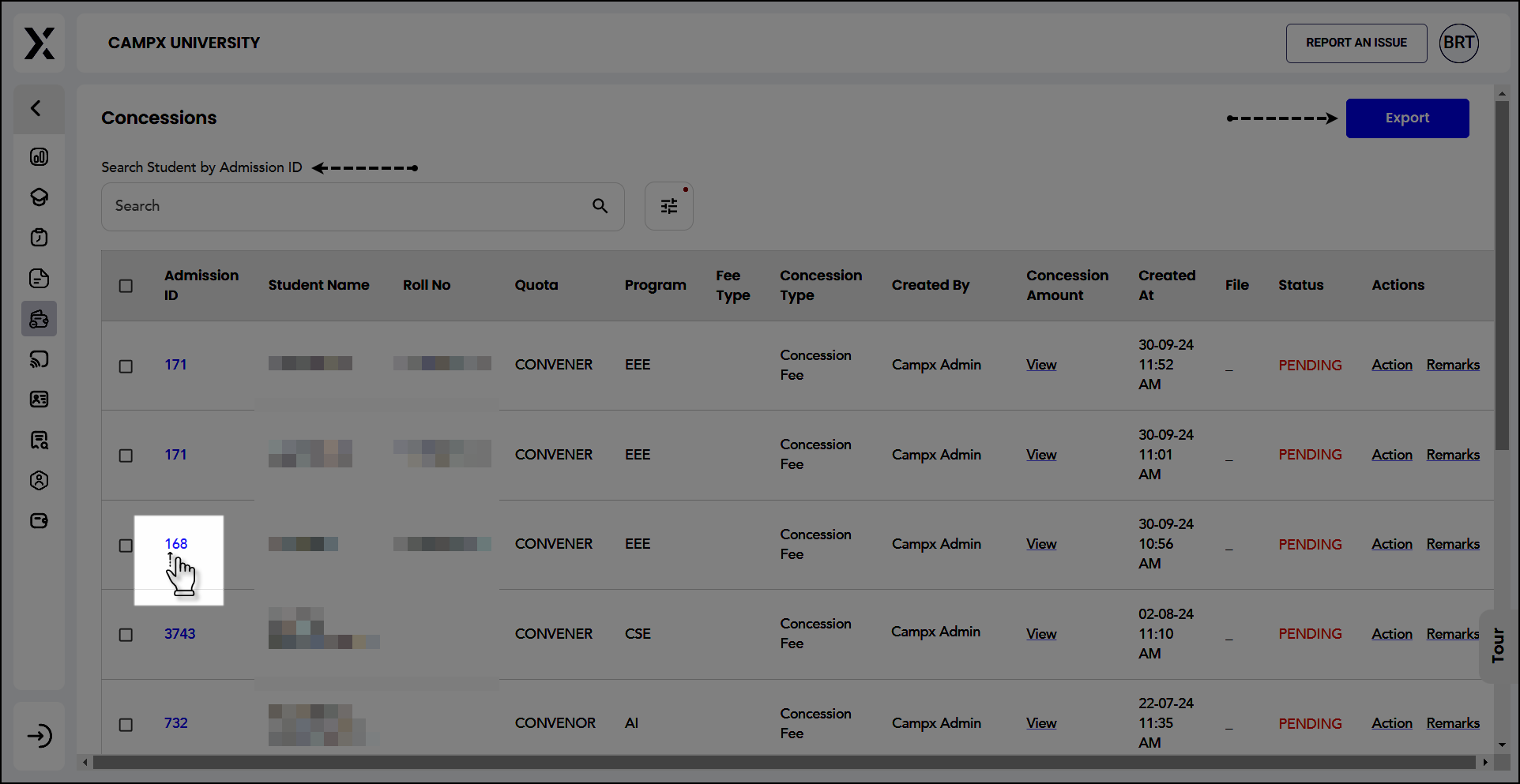
- This displays a list of all students who have applied for concessions including the concession amounts.
- The default status shows 'Pending' concessions awaiting action.
Individual Concession Processing
- Locate the student whose concession you want to process.
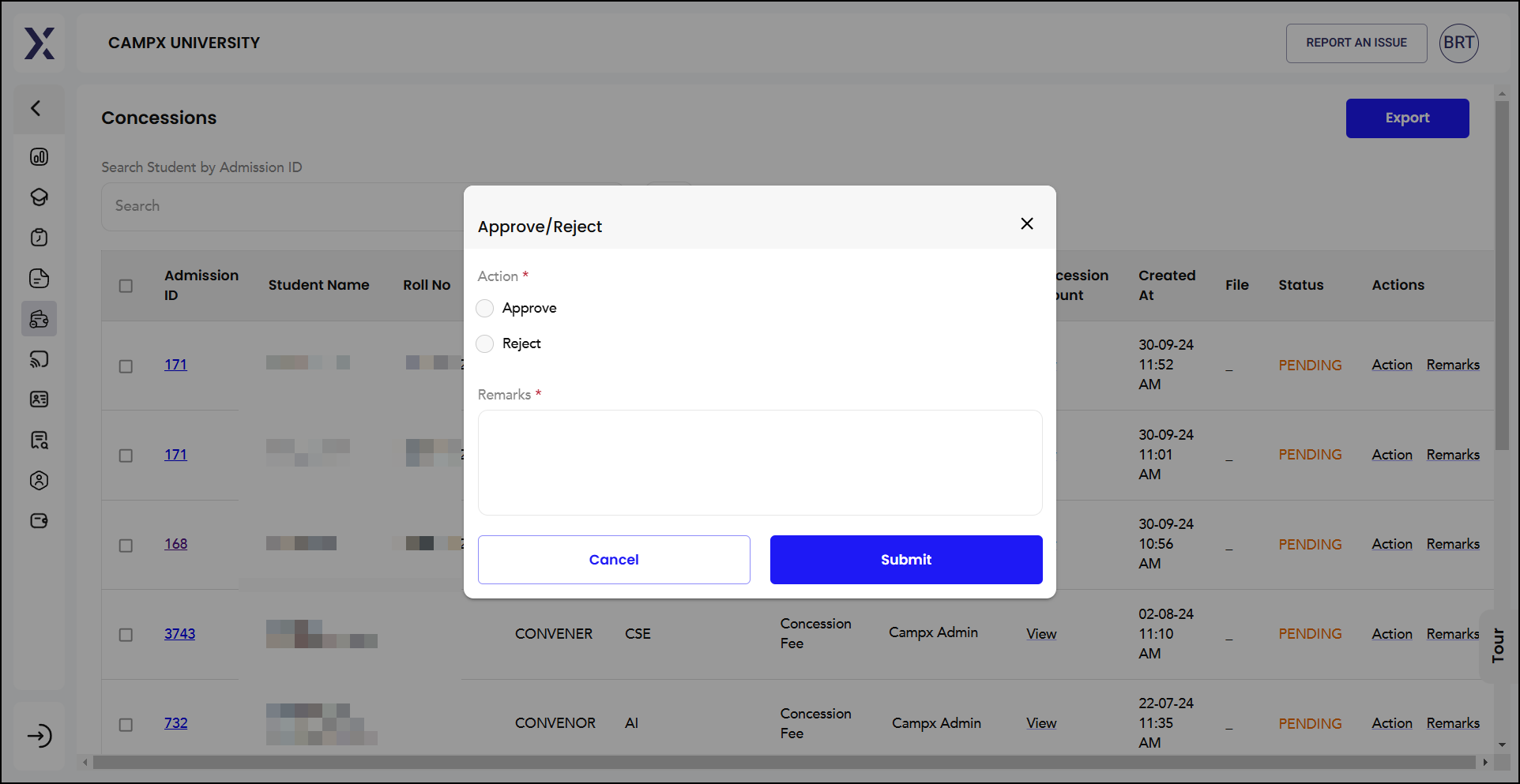
- Click on 'Action' in the Actions column for that student.
- Select either 'Approve' or 'Reject' the concession request.
- Enter mandatory 'Remarks' explaining your decision.
- Click 'Submit' button to confirm your action.
Bulk Edit Concessions
- Click the checkboxes against multiple students for bulk processing.
- Choose the action: 'Approve' or 'Reject' from the bulk action menu.
- Enter 'Remarks' that will apply to all selected concessions.
- Click 'Submit' to process all selected concessions at once.
Viewing Concession Details
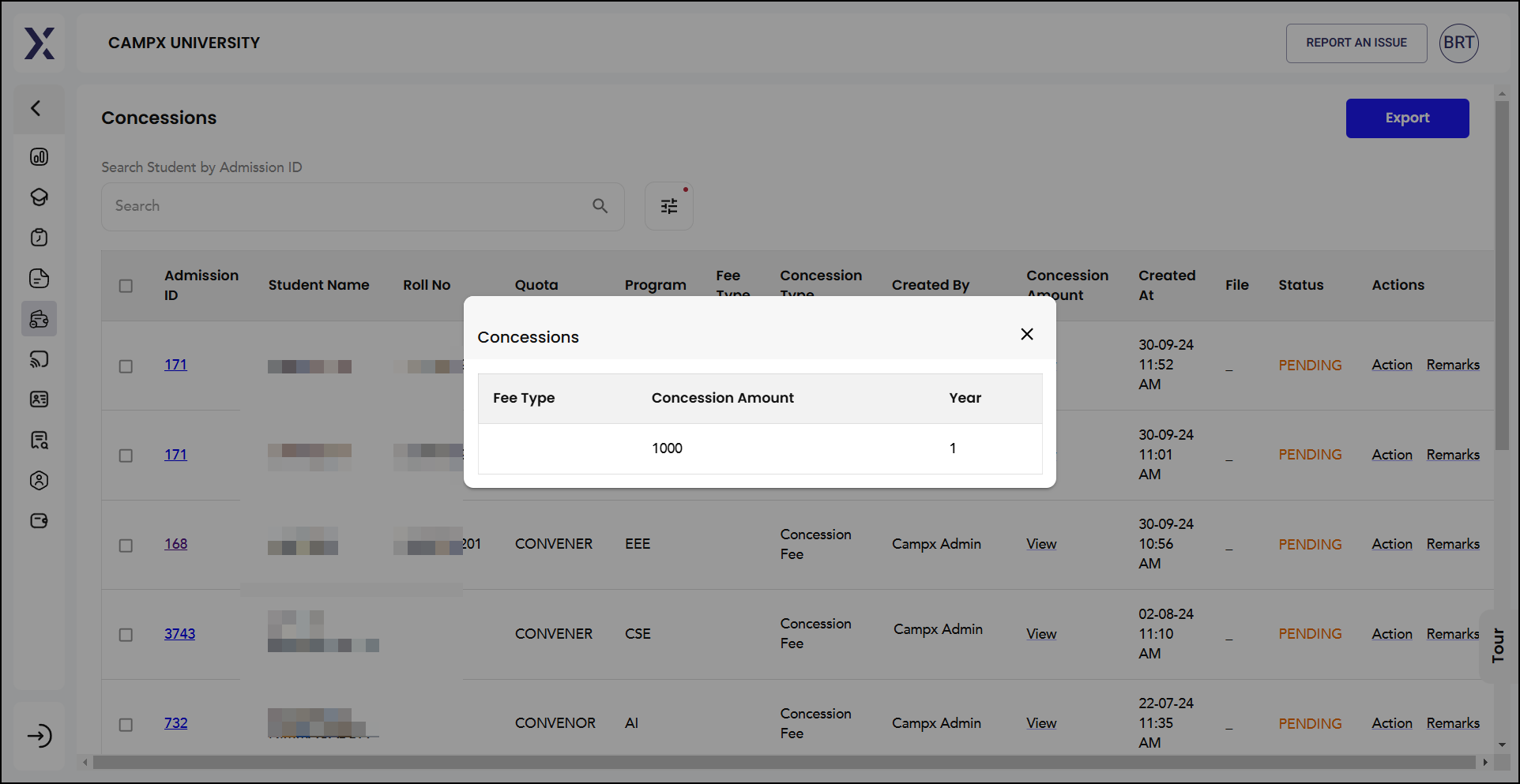
- Click on 'View' link under the 'Concession Amount' column.
- A pop-up window displays specific details about the concession amount.
- Review the fee type, concession amount, and year information.
Accessing Remarks History
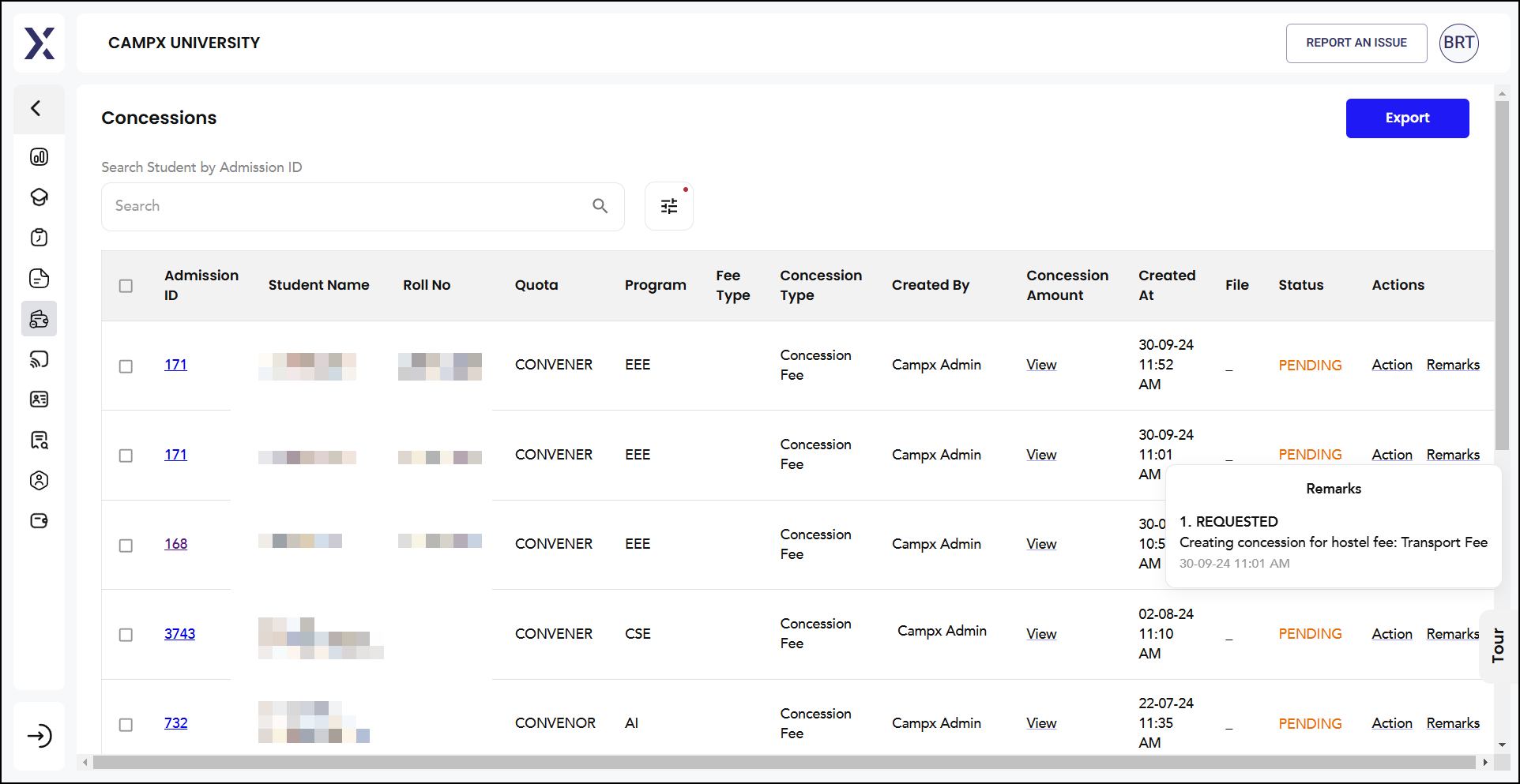
- Click on 'Remarks' link in the Actions column.
- View all comments and decision history related to the concession request.
- This provides complete transparency and context for previous decisions.
Expected Results
After processing concession requests, users should expect:
- Status Changes: Upon approval or rejection, the concession status changes accordingly in the system.
- Updated Records: All decisions are permanently recorded with timestamps and user information.
- Student Notifications: Students receive appropriate notifications about their concession status.
- Fee Adjustments: Approved concessions are automatically applied to the student's fee structure.
Student Fee Card Integration
Click on any Admission ID to access the complete Student Fee Card showing detailed payment history and fee breakdown. This is identical to what you find in Payments >> Student Fee & Transactions Card.
Common Issues & Solutions
| 🛑 Issue | ✅ Solution |
|---|---|
| Cannot submit without remarks | Always enter meaningful comments in the Remarks field |
| Bulk actions not working | Ensure you have selected checkboxes for multiple students |
| Status not updating | Refresh the page after submitting actions |
| Export function unavailable | Check user permissions for Export functionality |
Useful Tips
- Always provide detailed remarks when making concession decisions for audit trail
- Use bulk edit feature for efficiency when processing multiple similar requests
- Export data regularly using the Export button to maintain offline records
- Cross-reference with Student Fee Card before making final decisions
Export Data
The concession data can be exported to MS Excel for record-keeping and further analysis. Click the Export button to download the complete concession list with current status information.
Support
Need Help?
Access Support Portal from the footer and click on "Login with CampX."